How to request document edits
- Provide a prompt and ask Aimee to create a DOCX file about a topic, or ask it to suggest changes to an existing document.
- Aimee generates the document and presents an edit action card in the chat thread.
- For each suggested change, click Accept to apply it or Reject to discard it.
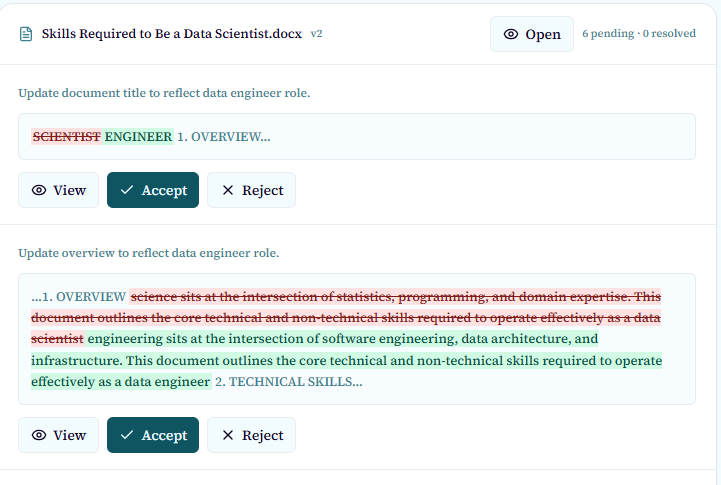
Suggested edits are non-destructive until you accept them. Rejecting a change leaves the document unchanged.
Versions and recovery
Each accepted edit creates a new document version. You can view and download previous versions from the document detail page.