How to compose an email draft
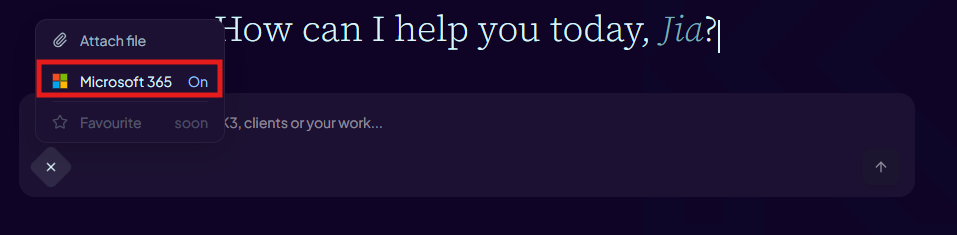
- Make sure the Microsoft 365 tools toggle in the composer is on.
- Ask Aimee to draft a new email or reply to a thread — for example: "Draft a reply to the meeting request from Sarah."
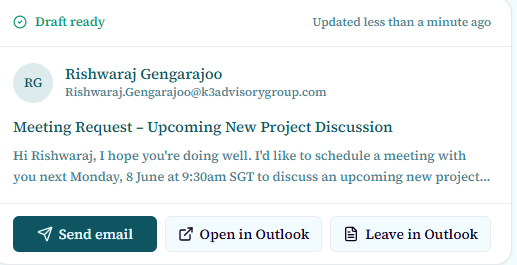
- Review the email action card that appears in the chat thread. The card shows the recipient, subject, and body.
Send or keep as draft
- Click "Send" on the email action card to send the message immediately via your Outlook account.
- Click "Keep as draft" to save the message to your Outlook Drafts folder without sending.
- After sending, you can open Outlook Web to verify the sent message.
The email compose workflow requires Microsoft 365 tools to be enabled and may be gated depending on your organisation's configuration.