What is a tool card?
Each time Aimee calls a connected tool — such as searching your email, reading a SharePoint file, or checking your calendar — it inserts a tool card into the chat thread. The card shows the name of the tool used and a summary of what was found or done.
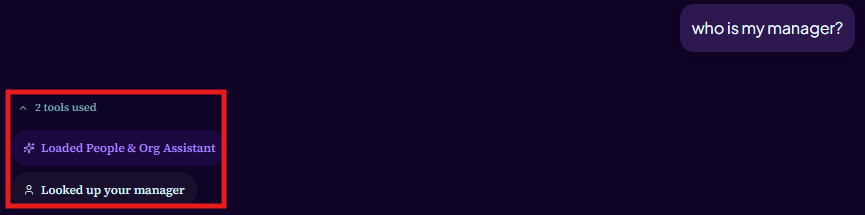
You do not need to take any action on a tool card. It is informational — it tells you what Aimee looked at so you can verify the source of its answer.
Opening results in Microsoft 365
When a tool card contains documents, emails, files, or calendar events, Aimee includes clickable result links in its reply. Clicking a link opens the item directly in the relevant Microsoft 365 app.
- Email results open the message in Outlook Web.
- OneDrive file results open the file in OneDrive for the web.
- SharePoint file or page results open in the browser.
- Calendar event results open in Outlook Calendar.
- Web search results open in a new browser tab.
Result links open in a new tab. If the link asks you to sign in, use the same K3 Microsoft account you use to sign in to Aimee.
Action cards (email and documents)
Some tool cards include interactive actions rather than just information. The two most common are:
- Email action card — shown after Aimee drafts an email. Lets you Send, Open in Outlook, or Keep as draft.
- Document edit action card — shown after Aimee suggests changes to a DOCX file. Lets you Accept or Reject each change.
These are the only tool cards that require your input. All other cards are informational.